Q: How to better extend the life of the printer?
Before installing and removing ink cartridges, be sure to turn off the printer.
Q: How to better protect the ink cartridge nozzle?
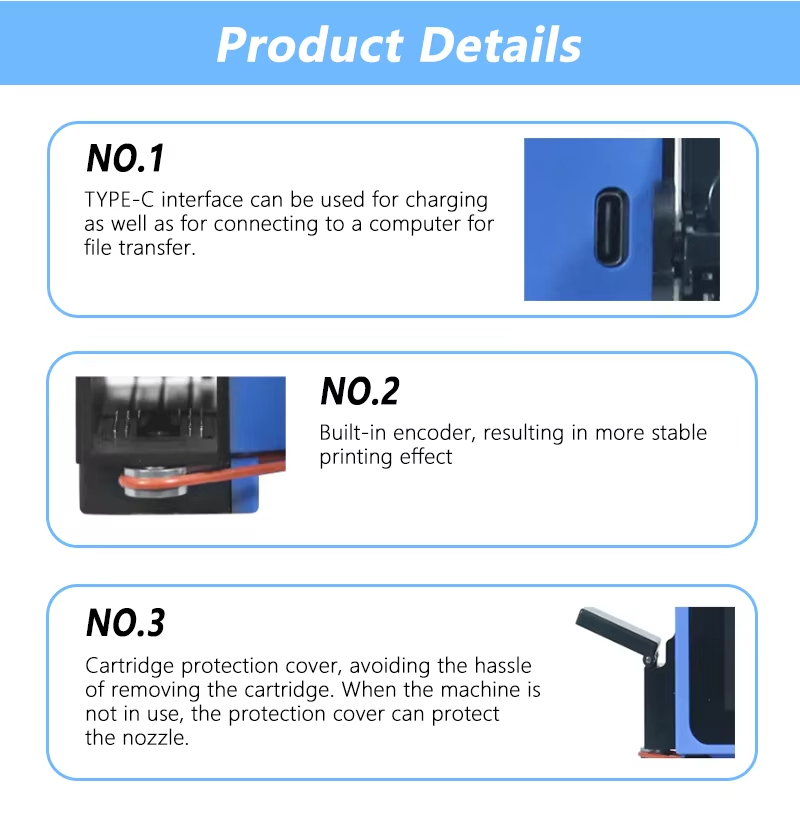
When not using ink cartridges, please close the protective cover in time. Dip a soft paper towel with a small amount of alcohol before using, and then gently wipe the nozzle in one direction.
Q: Can the printer be equipped with photoelectric sensors?
Yes, our inkjet printer has an adapted photoelectric sensor. Please consult customer service before purchasing.
Q: What should I do when there is a printer phenomenon of wire drawing?
The ink cartridge is quick-drying. When there is a phenomenon of wire drawing, please wipe the nozzle carefully with a clean soft tissue and switch the nozzle of the printer. When not using the ink cartridge, please install the cover in time.
Q: What should I do if the printer cannot print?
- Check whether the rubber ring on the left side of the printer is off (not in the groove).
- Check if the ink cartridge is installed properly.
- Switch the nozzle of the printer in the settings.
- After turning off the printer, reinstall the ink cartridge.
- If you have completed all the above operations and the machine still cannot operate normally, please contact customer service in time.
Q: The ink cartridge of the printer can print, but the printing is not clear, what should I do?
- Check whether the ink cartridge nozzle is clean and dry, and wipe the nozzle carefully with a clean soft tissue.
- Take out the ink cartridge when the printer is off, shake the cartridge several times, and stick a clean tissue on the surface of the nozzle to divert the ink. (Ask customer service for operation videos)
- Switch the nozzle of the printer in the settings.
- If the above operations still cannot solve the problem, please consult customer service.
 Collins Machine